How to setup custom rules and exceptions or threat prevention to protect against burpsuite http request attacks, Or attacks from those listed in the owasp api security risks top 10 
You can set custom rulesets in openappsec by using snort signatues. If you know how or are willing to learn how to write snort rules you can create your own custom ruleset using the option below under the asset > threat prevention option. The snort ruleset can be written in a while and uploaded to openappsec.
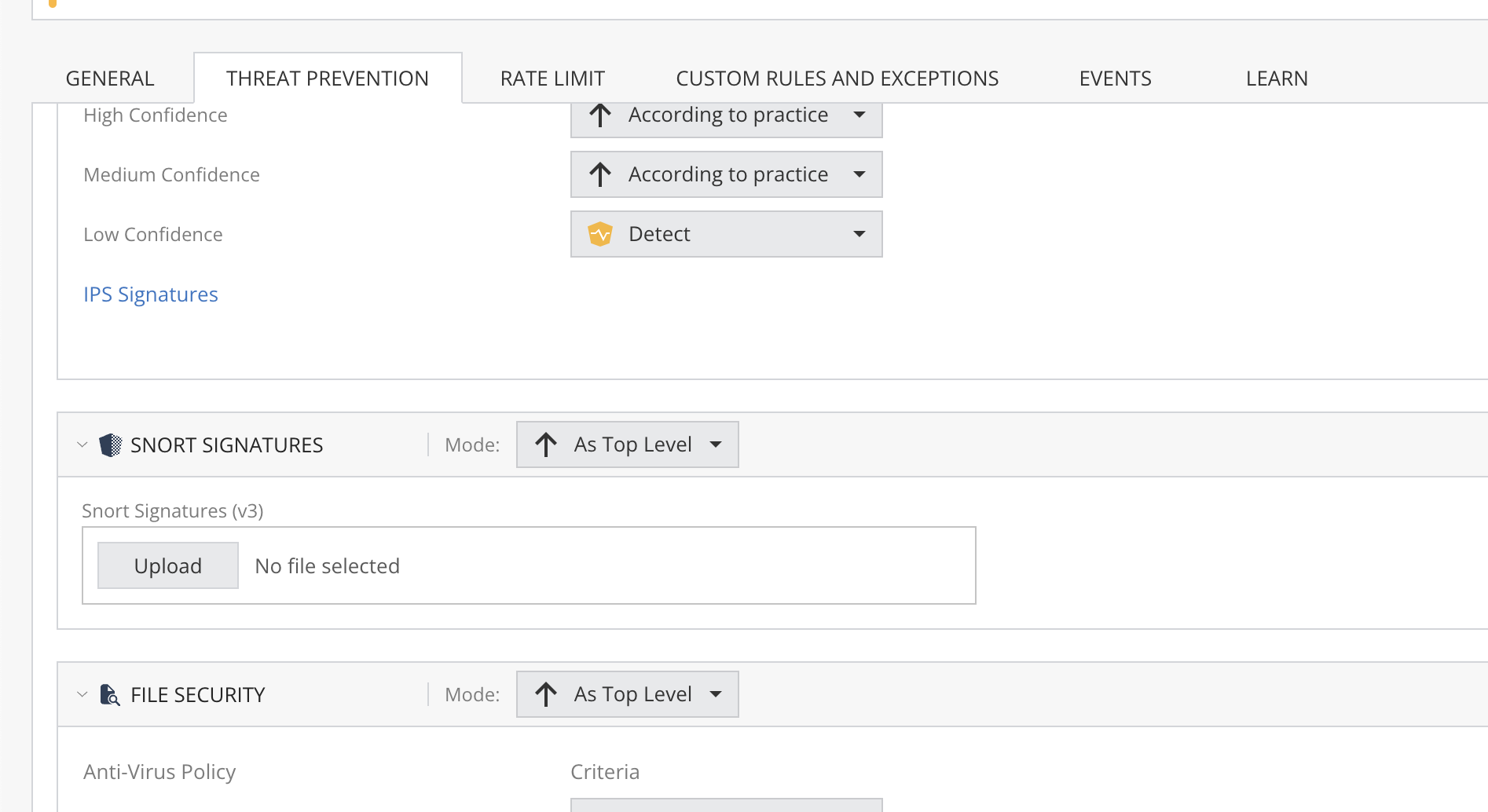
Another way to write custom rules is to use their custom rule exception under threat prevention > custom rules and exception option.
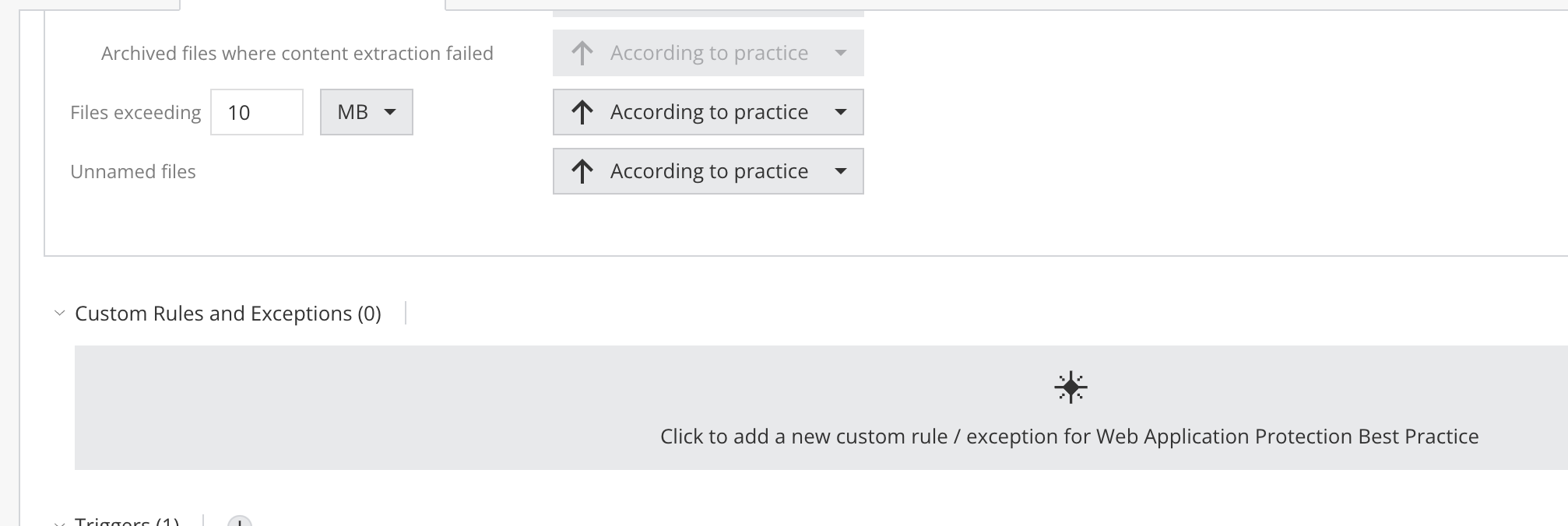
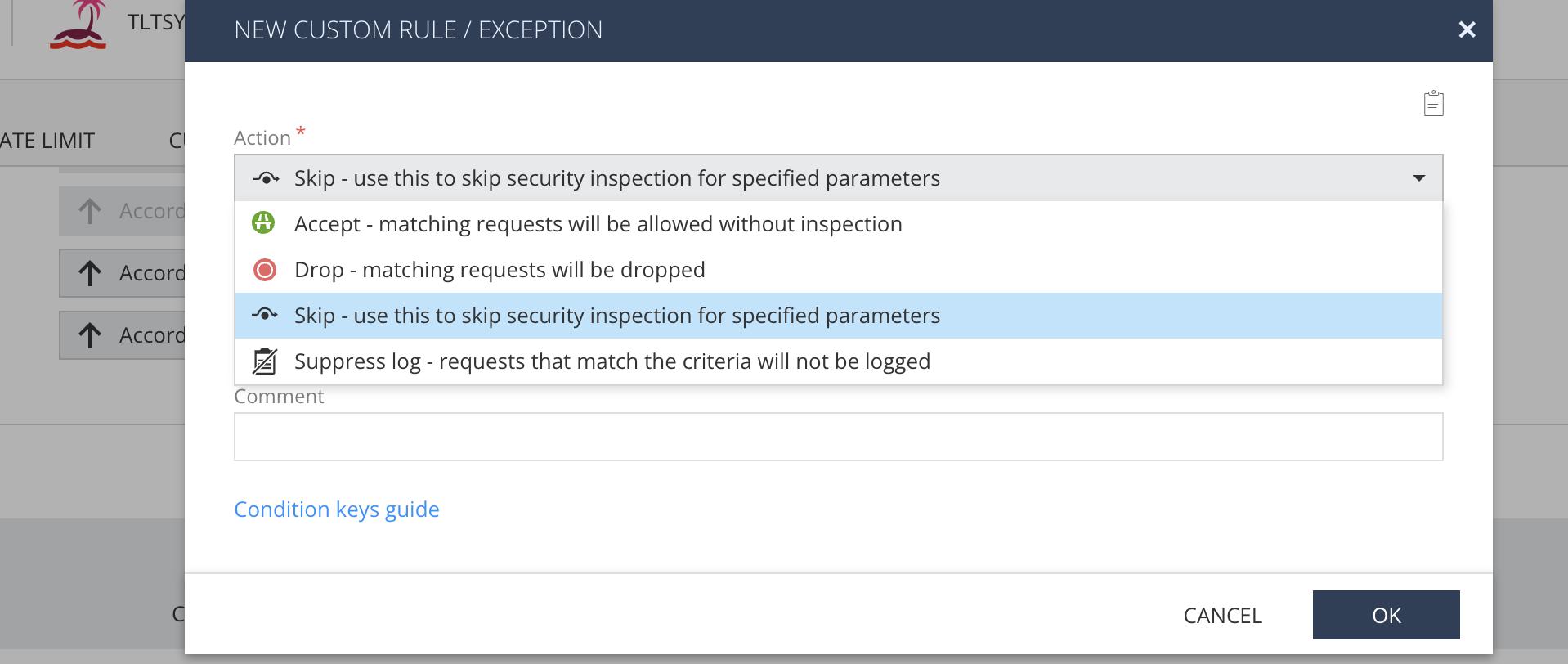
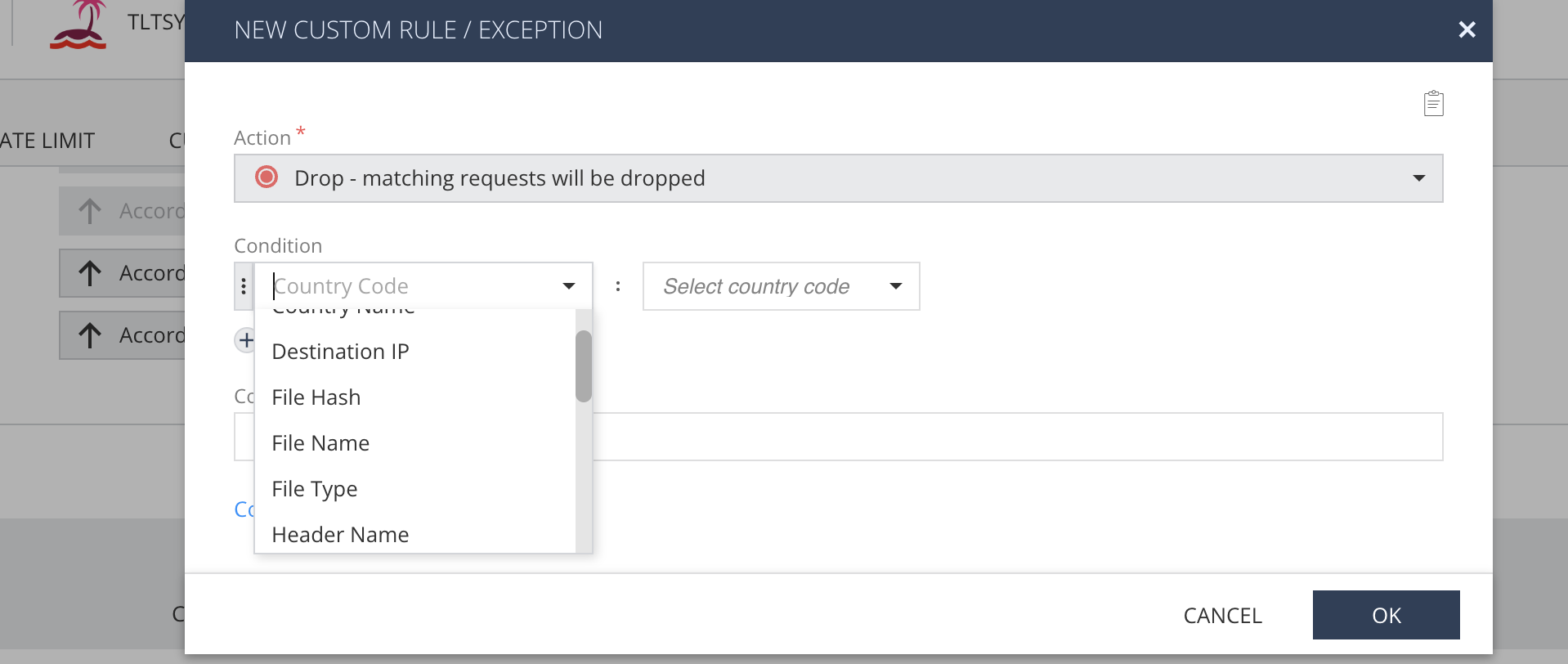
There you can set custom rules to drop traffic based on different options that meet a certain condition or conditions. More can be found here in their documentation: Setup Custom Rules and Exceptions | open-appsec
Openappsec would block owasp top 10 attacks. Also openappsec learns how your application works when in detect learn mode and is able to block zero day attacks or abnormal activity when graduated and moved to prevent mode.
Why is it that when I want to upload the file it is not detected even though I have named it snort.rules and rules.snort, everything is unreadable
Looks like the snort custom rules is an EA (Enterprise access) feature. So it may be because you do not have an enterprise license.
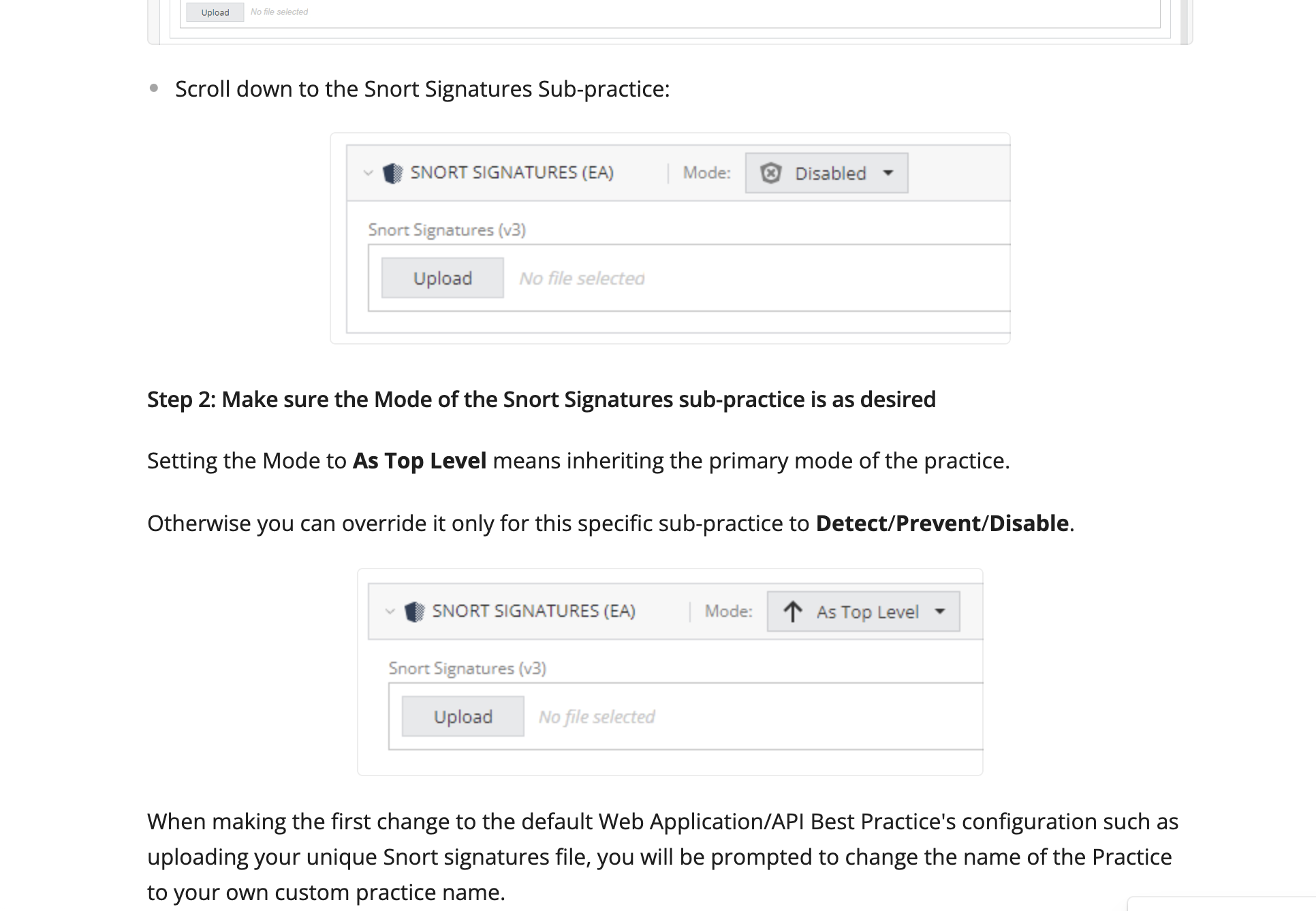
However you can use the second option “cutom rules/exception” without an EA license.
Yes, thanks for the information, I have now tried custom rules
- I tried to attack the dvws-node web vuln on the login page, I wrote an xss script in the username and with any password , it works exposed to xss
- After I looked at the log in WebUI Saas open-appsec, I saw xss activity and I made an exception then I dropped it, and that was and it works xss on drop
but why when I try to log in with the normal username and password it drops also goes to prevention activity in the WrbUI Saas open-appsec log 
Im glad it worked for you.
Openappsec is not a traditional waf. You need to start by setting it up in detect learn for it to lean your environment and once it sees enough traffic, then it will let you know when to switch to prevent. At that point it should know what is normal and what behavior is not.
Putting it straight to prevent will cause a lot false positives as you can see. But again if you must do so then you can use custom rules to allow certain things that are normal if your getting blocked.
Also your custom rule may be getting hit that’s why it’s blocking you from logging in.
Yes, thank you i have some custom rules some work, but why is it that when I try to open redirect it is not detected by the open-appsec webUI? Maybe you can tell me about the Web API environment with the open redirect configuration
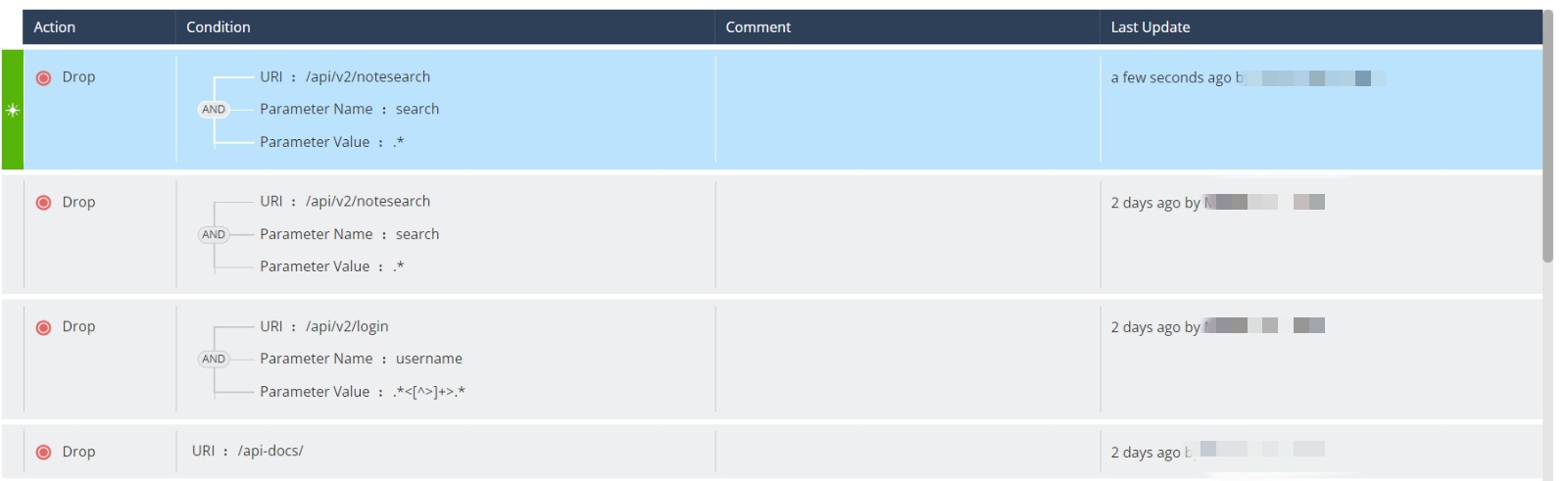
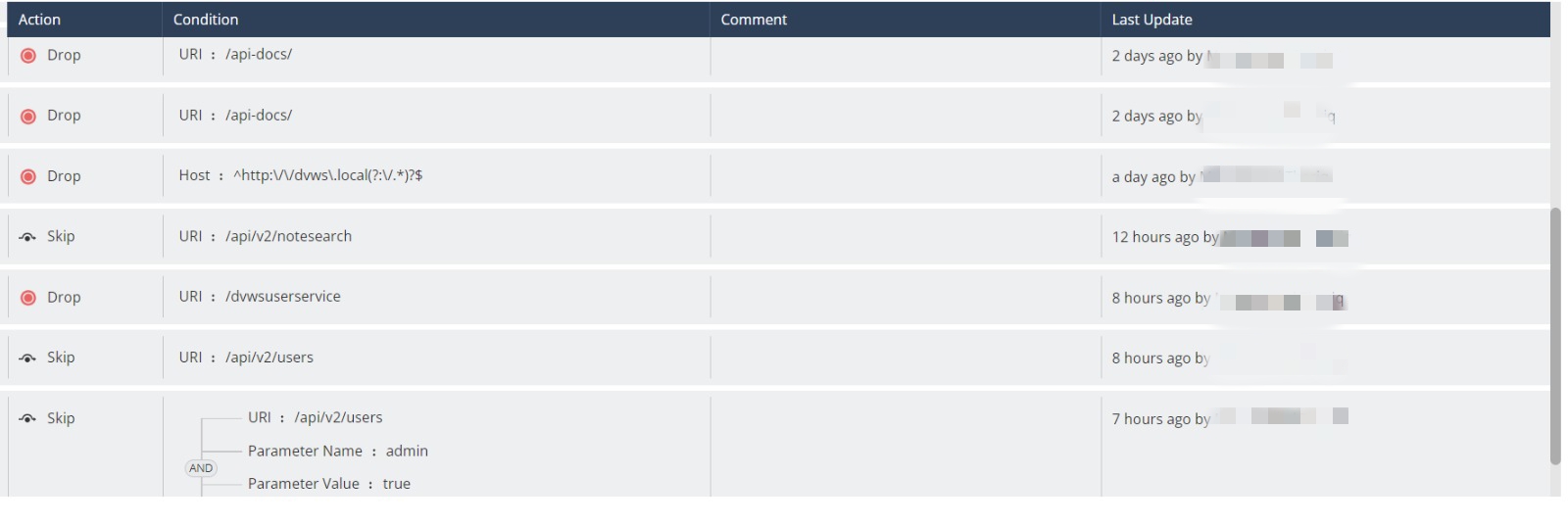


Sorry I ask a lot, because I’m still just learning😂, The first picture shows the configuration to avoid no SQL injection, I custom rules and exceptions but why is it that when I install it then I try the normal string so it drops or prevents so I want to search for anything the result is 0, the second image I made my own custom rules to avoid opening redirect links but it doesn’t work can you help me